Ah, well, thanks for trying anyway.
I fail to see how offering a product for free over many years is ‘wronging’ them. Instead of holding grudges, perhaps they should say ‘thank you’.
I would pay for Fusion 360 if their asking price was not so stupid high. Between $60-$40 dollars a month at their Un-discounted rates. Because if they had a hobbyist subscription for $10.00 a month I might consider it.
Leading the community that the personal version would stay indicating only advanced features may go away, then doing a 180 to where not only the advanced features are gone but even simple necessities like the DXF export, is what is “wronging” here. It additionally takes away documents you’ve already made since there is now a cap on 10.
2 Likes
Profit does not equate to greed. Greed is bad, profit is good.
1 Like
It should have been understood that it could go away when businesses change. I believe you can still export what you have done before the change is complete.
I just don’t think there is a rational basis for complaints. A little disappointment, perhaps but not complaints or anger.
1 Like
It’s called a Bait and Switch and yes it’s considered a deceptive business tactic as a matter of standard perception.
They had a free version, they had a startup version, and they had a business version.
There was no reason to expect the free version to become as limited as it is being made; with these limitations it’s worse for most of the free users than the average free program, but by keeping the files up in the cloud users have to frantically get everything off before being locked in. They’re banking on people either not being able to do that, or that this change (with less than a month’s notice for the critical feature list of what’s dropped) will be too sudden for people to accommodate and they’ll be forced to pay.
The expected feature drops within the autodesk community were along the lines of CAM, simulation, etc. These were incredible that they were free as a commercial product, but we could see those going away.
Core features of any CAD software such as DXF exports no reasonable person would expect to disappear from the free version.
This takes time fore people, and not everyone is going to notice those emails which many believe to be marketing related.
Looking at the differences, I believe the free version, which will still be available, will have most of what a maker needs to design things outside of a professional occupation.
Simulation can be done by Simscale which gives 3000 core hours of use to anyone.
1 Like
except it won’t outside of 3d printing for most needs. It got rid of most standard file formats that tools makers use accept.
great, but it still won’t fix the core features like DXF for use by basically anything operating in 2d space.
The ten file limit doesn’t go into effect until January 19. You can still have more than ten files - you just have to move them in and out of archive.

I’m going to miss drawings more than anything else. Their “workaround” isn’t adequate, IMO. “Print only” suggests to me that you won’t be able to save/edit drawings.
As much as I don’t want to, I will probably just suck it up and pay for Fusion because for $300 per year it isn’t worth the months of time to learn something else.
3 Likes
It seems you can always convert files to the format you want after downloading the them in another format. Sure, an extra step but it means you can still use 360 free and convert the output after downloading.
Also, Onshape could be used to import in one format and export in another.
1 Like
Actually the only formats left are 3d formats and Autodesk proprietary formats.
And as a note, many of those formats can only be converted in non-editable forms using utilities like what you have linked
What is their ‘workaround’ for drawing and why isn’t it adequate?
I doubt that include Onshape. It’s a full, professional CAD program so it should be usable to import and convert files.
It’s the nature of the file format; too much information is lost in the export process. Even their own import documentation shows that it cannot edit the formats. This is before considering, again, that the exports in the free version only support 3d objects now and all the 2d formats such as DXF, basically anything laser/vinyl/basic routing/CNC that’s not milling uses for dimensionally accurate drawings.
- STL (.stl) (view and reference meshes only, unable to edit a mesh)
- OBJ (.obj) (view and reference meshes only; unable to edit a mesh)
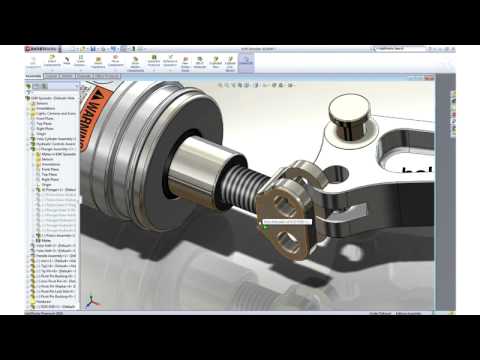
As an update, Solidworks is going to be sending us updated licensing for Solidworks 2020
This will move the 2017 version to 2020 on the jump server (Commercial).
As a reminder, Solidworks 2020 student editions are available by contacting @David_A_Tucker
12 Likes
If you are saying there is no format you can export from the free 360 and import to Onshape and then edit or then export in any format Onshape supports, I’m skeptical. It seems you honed in on two of the three formats that can’t be manipulated once imported. So, use another.
i’m sorry, but do you even do CAD? You do realise the difference in using dimensionally accurate, editable formats for 2d drawings such as DXF versus formats designed for 3d (which are what’s in the “free” version now) and the limitations when dealing with proprietary export formats?
The point was your “simple” solution has a ton of caveats, and it still doesn’t even solve the fact that it only partially works for 3d. The export and drawing support in 2d are, in effect, gone.
Find me one import mode in Onshape that is for an editable 2d item that is a format the free version of Fusion will export.
And as for 3d, the only part item it can import in an editable form is the .ipt file format, which is the proprietary autodesk format which changes with versions and basically they try to break support for it every release.
This is before even considering the import/export process quirks. Many of these file formats have constraints and anomalies in import and export processes. I can’t speak to the inventor file directly, but to consider the thought of needed to constantly convert a file format (one that’s not even the native format of the CAD program, the interpreter like onshape, nor the destination resource) can be anything but troublesome.
And this, again, only even works at all for 3d. For 2d drawings you’re still SOL.
Although the FAQs has a little more info, It isn’t fully explained, at least not that I can find.
All they say is, “Single sheet, print only”. I assume that if I can only print a drawing, I can’t save it for future modification. I’m making machining drawings from my models and I don’t want to have to recreate everything each time I want to tweak something.
1 Like
For those of you thinking of migrating to Solidworks: